BroAdmin Forest 2.0
You make the radio.
BroAdmin does the rest.
Ads, news, regulatory reports, monitoring and file handling – in one browser-based system you can use from the station or from home. Whatever a machine can do, the machine does – leaving you more time for content and quality.
- 9modules, one system
- Anywherein the browser, over the internet
- RCS Zettaplayout integration
- 24/7monitoring & alerts
- Fast supportZetta + BroAdmin together
A day on air
The same day you know.
Minus the busywork.
BroAdmin doesn’t replace you – it replaces the routine. The time that used to go into mechanical chores now goes into content and quality.
-
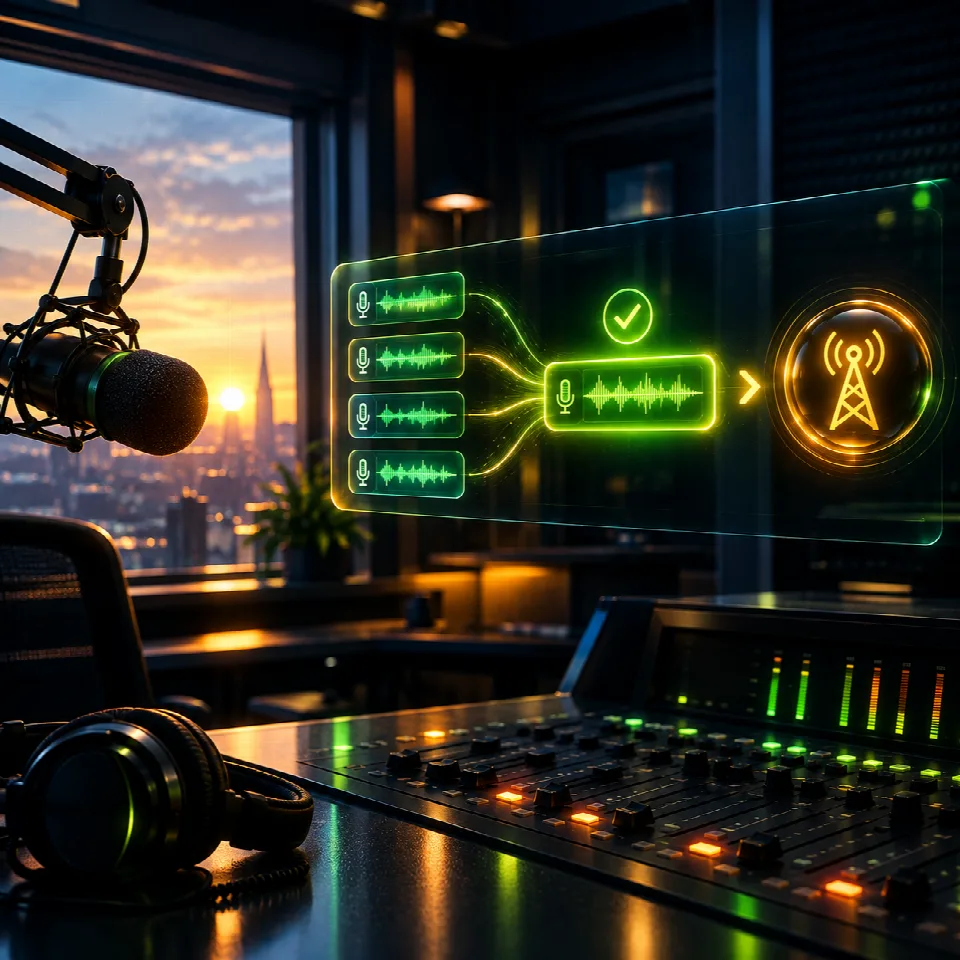
The news is already in
By the time you walk in, the morning bulletins are rendered and waiting in the playout system. No exporting, no editing, no copying.
News -

A week of ads, one click
Autopilot places every campaign by its weekly targets, dayparts and separation rules. You review and save.
Advert -

Songs arrive with their data
Artist, title, measured audio features and markers come from the shared cloud database. No research, no typing.
Music -

Reports write themselves
Regulatory and royalty reports are built from your own as-run log – one click to CSV or Excel.
Report -

Files find their own way
Loader picks up incoming audio, converts it and drops it in place. Syncer and Remote keep every other system in step.
Script -

The stream drops. You already know.
Track alerts you on Telegram before a listener calls. Meanwhile Watchdog restarts critical processes on its own.
Track
Who it’s for
Everyone’s own job.
Without the routine.
Role-based access: everyone sees exactly what their job needs.
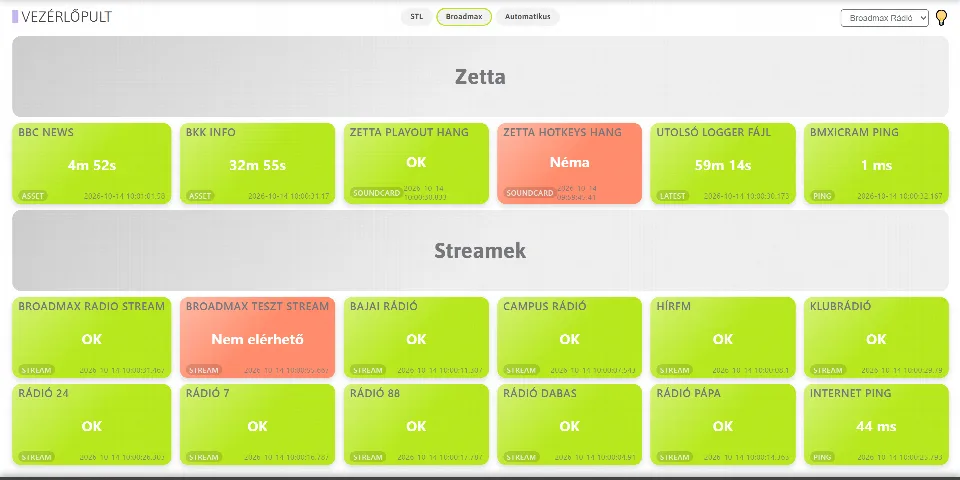
Before
- 3 a.m. calls when the station goes silent
- Files copied by hand between folders and machines
- Overnight jobs nobody knows finished
With BroAdmin
- A colour-coded dashboard, even on the wall screen
- Loader, Syncer, Remote, Purger: set up once, then it just runs
- Every run logged, failed jobs rerun with one click
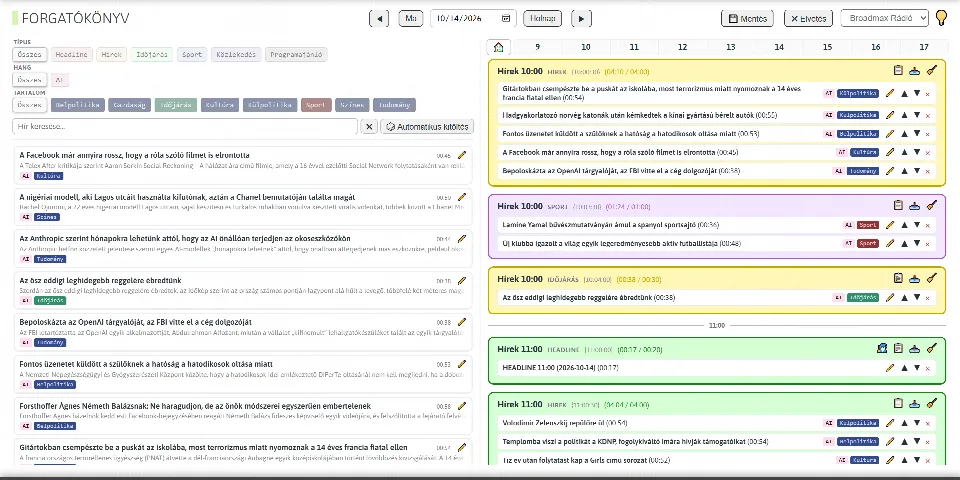
Before
- Trawling news sites for stories
- Export, edit, copy before every bulletin
- Old stories nobody can find
With BroAdmin
- Story leads flow in from your sources
- Save the rundown – the bulletin is in playout on time
- Link to script, script to voice – AI helps if you ask
Before
- Artist, title and year typed in by hand
- Markers set song by song
- Fixes that never reach the playout system
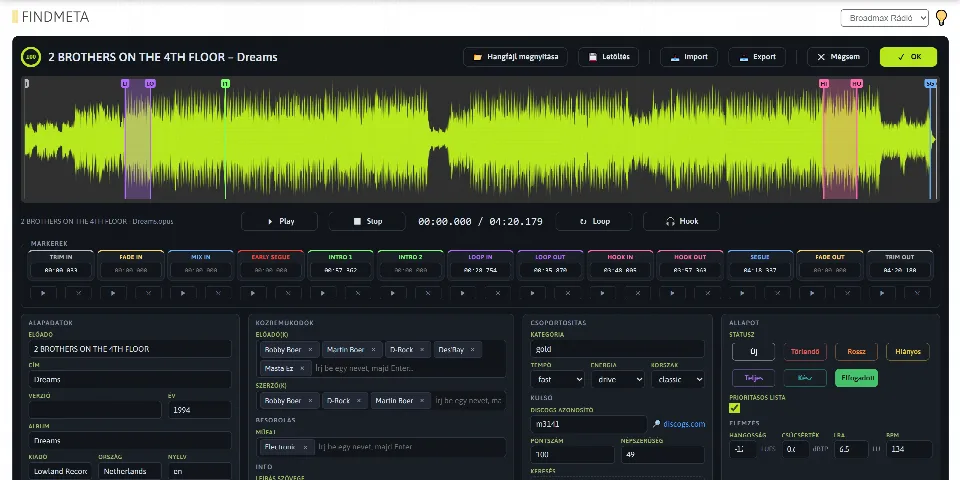
With BroAdmin
- Songs arrive from the cloud with measured data
- Waveform editor with markers, right in the browser
- Cloud fixes update your playout automatically
Before
- Ad logs in spreadsheets, late into the night
- Two competing advertisers back to back
- Proof of performance dug out of the log
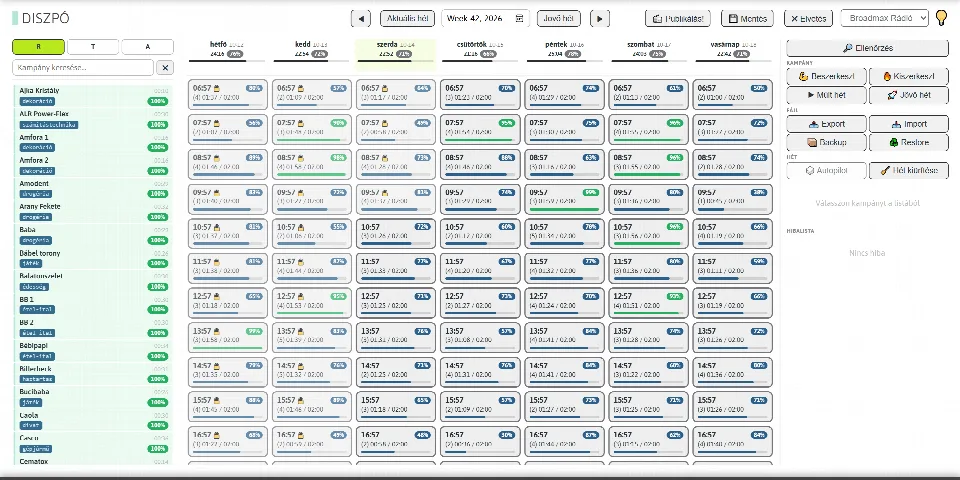
With BroAdmin
- Weekly log with automatic placement
- Separation and count rules with instant conflict warnings
- Spot schedules and affidavits as PDF, from the real as-run log
Before
- Last-minute scramble before regulatory deadlines
- A different tool and password for everything
- No idea what’s happening behind the scenes
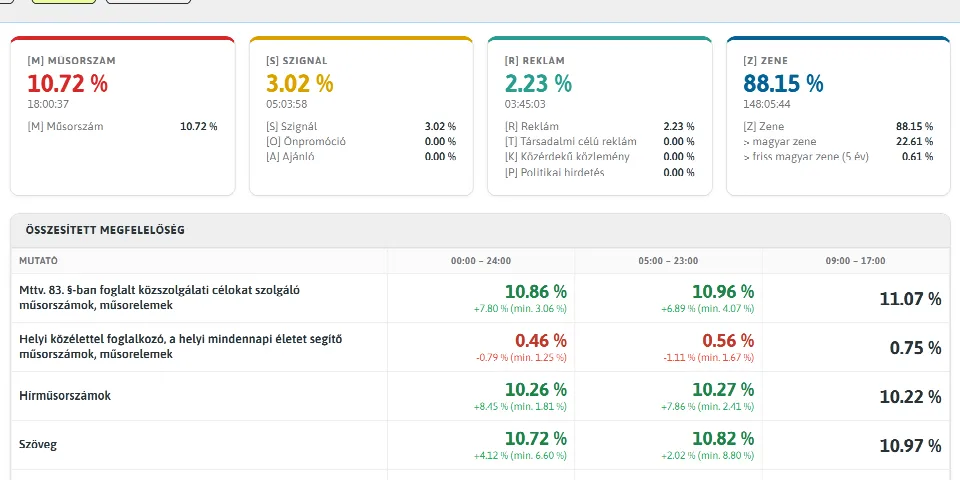
With BroAdmin
- Weekly content-quota statistics that flag issues early
- One system, role-based access, as many stations as you run
- Every process logged and supervised
Modules
Nine modules. One system.
The core package runs the daily operation; premium modules speed up content work.
-
 Core
CoreAdvert Traffic & ads
Commercials, PSAs, promos and political spots in one log, with automatic placement and proof of performance.
-
 Core
CoreReport Reporting
Regulatory and royalty reports, affidavits and statistics from your own as-run log.
-
-

-
-

-

-
-
 Core
CoreAdmin Administration
Users, permissions, stations, scheduled tasks and Watchdog – included in every package.

Artificial intelligence
AI assists.
You decide.
AI provides the raw material and saves the mechanical steps. The final word and every decision stay with the editor.
- A news script from an article link
- Natural read-outs with ElevenLabs voices
- AI-curated topical news feeds
- Searchable transcripts in the archive
- A written weekly compliance summary
Every AI feature is optional and designed never to put the broadcast at risk.
Music Cloud
Songs arrive ready to air
In FindMeta’s shared cloud database, songs come with artist and title data, measured audio features and markers. Link connects them to your own catalogue, and every fix made in the cloud flows into your playout automatically.
- Metadata
- Markers
- Audio file
- Automatic sync


Integration
Fits into what already works
BroAdmin doesn’t replace your playout system – it works alongside it, reading the as-run log and delivering finished breaks and audio.
Playout
 BroAdmin
interface · API · service
BroAdmin
interface · API · service
Connections
On-air safety
The broadcast comes first. Always.
Your air never depends on it
BroAdmin works alongside your playout system, not inside the on-air chain: if a server or service stops, Zetta keeps the station on air undisturbed.
Watchdog
Critical processes restart on their own if they stop. At most, you get a notification about it.
Updates never take you off air
Background services never stop over a version mismatch – a half-finished update can’t take the station down.
Everyone sees their own job
Role-based permissions: editors handle news, engineers handle scripts, sales handle campaigns.

Why Forest?
From one vacuum tube to modern radio
In 1906 Lee de Forest invented the Audion, the vacuum tube that laid the technical foundation of radio. BroAdmin Forest sets out to do the same for the work behind the broadcast.
Packages
As much as you need
Core package
The backbone of daily operations: traffic, reporting, monitoring and automation, plus the admin console.
- Advert Traffic & ads
- Report Reporting
- Track Monitoring
- Script Automation
- Admin Administration
Premium modules
Faster content work: newsroom, music cloud, web content and archive.
- News Newsroom
- Music Music data
- Web Web content
- Archive Archive
BroAdmin is part of the Broadmax Support contract, which covers full support for your RCS Zetta playout system and the BroAdmin suite. Installation and setup are also handled by the Broadmax Support team, together with you.
Frequently asked questions
Which playout systems does it work with?
RCS Zetta. BroAdmin reads the as-run log from it and delivers finished breaks, audio and music data straight into it.
Do we have to be at the station to use it?
No. BroAdmin runs in the browser and is reachable over the internet, so work can be done from home or on the road – nobody needs to be physically at the station.
Can we run several stations in one system?
Yes. A single installation serves any number of stations, each with its own playout system, storage paths and settings.
What do we need to run it?
A Windows server on the station network. The interface runs in the browser – your team installs nothing.
Who installs and configures it?
The Broadmax Support team, together with your station. Station-specific settings are fine-tuned jointly.
What if the AI gets it wrong?
AI only provides raw material; the editor decides at every step. AI features are optional and never put the broadcast at risk.
Is there documentation?
Yes, the full manual is public on our wiki (in Hungarian).

Contact
Let’s listen to your station together.
Show us how you work today. We’ll show you how much time you can move from routine chores to content and quality.
- Email sales@broadmax.hu
- Phone +36 1 950 4575
- Address Prés u. 2/A, 1031 Budapest, Hungary
- Web broadmax.hu